


Galaxy Bowling 3D
4.510.29K Reviews
App Specs
- Version
- 15.40
- Updated On
- License
- Free
- Downloads
- 10,000,000+
- Developer
- Winterlight
- Categories
- Sports
- Platform
- Android
Screenshots
 Analysis by AppCompare
I like bowling games that get to the point without reducing every throw to a lucky swipe. Galaxy Bowling 3D aims for that middle ground: it is easy to pick up, but the familiar goal of clearing the lane still leaves room to refine your aim. Its space-inspired presentation gives it a playful identity, while the range of bowling styles makes it more than a quick ten-pin diversion. In my view, its best quality is this balance between a casual pace and enough variation to keep a short session interesting.
A bowling game with room to experiment
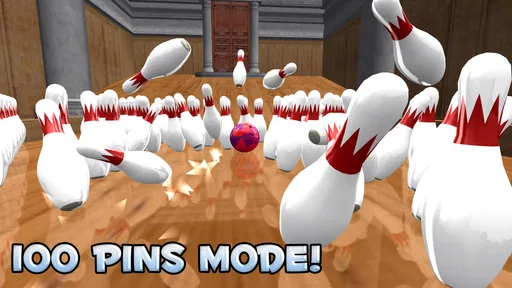
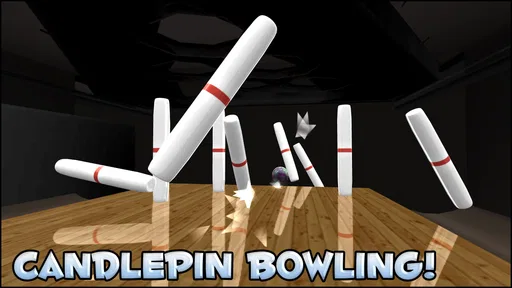
The appeal becomes clearer once you look beyond standard ten-pin play. The game includes candlepin, duckpin and a 100-pin mode, so you can switch to a different kind of challenge when a familiar frame starts to feel repetitive. These options change the feel of a session without asking you to learn an entirely different game. I’d treat them as a way to reset your attention: play a few conventional frames, then try another format when you want a fresh target.
That variety is useful in a practical way, too. If you have only a couple of minutes, one quick round can satisfy the urge to play. If you have longer, moving between formats gives you a reason to stay without making the game feel like a long campaign. It suits the stop-and-start rhythm of a phone game better than a bowling title that depends on a single mode for all its replay value.
Controls reward a little patience
I found the touch controls the more dependable place to begin. A swipe is immediate and easy to understand, but a bowling shot is not just about sending the ball forward; the line and release need attention as well. My practical tip is to make small, deliberate adjustments rather than trying to correct a poor aim with a dramatic gesture. That keeps each attempt easier to judge and helps you work out whether your setup or your release needs changing.
Tilt controls offer another way to play, which is welcome if touch input does not feel natural to you. The trade-off is that motion-based aiming can feel less predictable when you are playing in a cramped setting or holding your device at an awkward angle. I would try both methods in a low-pressure session, then stick with whichever gives you the clearest sense of control. There is little point changing input styles from throw to throw if you are trying to learn what makes a shot go where you intend.
Its space theme is more than decoration
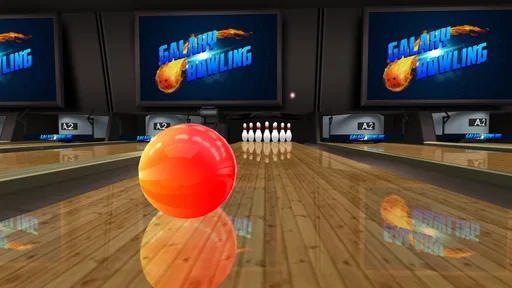
The colorful cosmic lanes give the game a recognizable look, and the simple interface helps keep that presentation from getting in the way of play. I also enjoyed the option to change a ball’s colors and patterns. This is a small form of personalization rather than a deep equipment system, but it gives you a pleasant reason to make the game feel like your own. Unlocking additional balls and lanes provides a gradual goal for players who enjoy working toward cosmetic variety.
There is a useful distinction here: appearance can make a session feel fresh, but it is not a substitute for new challenges. If you mainly want a game with extensive progression or a constant stream of changing objectives, the visual unlocks may not hold your attention for long. If, like me, you enjoy choosing a look and then focusing on the actual shots, the customization is a nice extra rather than a distraction.
Worth Reading Before You Choose

Flipboard Shows What News Apps Must Do Beyond the Feed

Switching to Android Auto Means Rethinking Your Driving Routine

Google Calendar Makes a Crowded Week Easier to Manage

Ludo King Makes the Most of the Minutes Between Plans

Baby Panda World Brings Quick Play to Modern Phones, but Its Game Library Feels Busy

ESPN’s Live Game View Makes Following Close Games Easier
When a quick match fits the day
A realistic use for this kind of game is a short break between errands or while waiting for someone who is running late. I would start a round, choose the mode I feel like playing, and focus on making a few controlled throws instead of expecting a brief session to become a full evening of gaming. The different formats help when I want a change of pace, while the familiar bowling objective means I can return after a gap without having to remember a complicated set of rules.
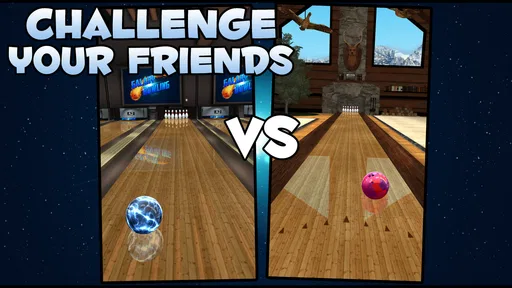
It can also work as a relaxed way to share a game with a friend. Local and online multiplayer give you options for playing together, and a bowling match is easy to understand even if one person has not spent much time with the game. For an informal challenge, I would agree on the mode before starting; otherwise, the group may spend more time deciding what to play than actually taking turns. I would not choose it as a substitute for meeting up at a real bowling alley, but it is a handy digital alternative when you want a quick, low-effort contest.
Where it sits among bowling games
Compared with a stripped-down bowling game built around one lane and one ruleset, this title has a stronger sense of variety and a more distinctive visual style. The additional formats matter most for players who tire of repeating standard ten-pin rounds. On the other hand, someone who wants the simplest possible simulation may prefer a plainer option that gets straight to one type of match. The space-themed lanes are a clear part of this game’s personality, so they will be a plus for some players and unnecessary visual dressing for others.
It also occupies a different space from broad sports games that include bowling as one activity among many. Here, bowling is the point, which makes it easier to settle into a match without navigating a larger collection of sports. That focus is a strength if you want a dedicated bowling diversion; it is less compelling if you are looking for a game with a wide range of unrelated activities or a more involved competitive structure.
What to expect before you settle in
The presentation and controls make the first session approachable, but that does not mean every throw will feel perfect immediately. Small differences in how you aim or swipe can affect your results, so there is a learning curve in judging your own input. I see that as part of the appeal for players who like improving through practice, though it may frustrate anyone expecting every attempt to behave exactly the same without any adjustment.
The multiplayer options are appealing, but they are not the main reason I would recommend the game to everyone. If your enjoyment depends on a large, highly competitive online scene, you may be better served by a game built specifically around that kind of competition. Here, multiplayer is one way to add variety to a bowling-focused experience, while solo play remains a sensible choice for a quick session. I would also keep the in-app purchase range in mind: the game is free to start, with optional purchases priced from $0.99 to $4.99 per item. You can decide whether those extras interest you rather than treating spending as a requirement for trying it.
First Impressions
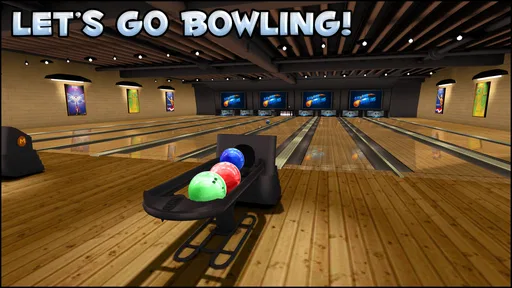
Upon launching Galaxy Bowling 3D, I was immediately struck by its vibrant graphics. The game truly lives up to its "galaxy" name with a plethora of colorful and cosmic-themed lanes. The aesthetics are quite pleasing, especially if you’re into outer space vibes. The interface is straightforward, making it easy to dive right into the action without getting bogged down by complicated menus.
Gameplay and Features
The core of any bowling game is, of course, the bowling itself. In Galaxy Bowling 3D, the mechanics are smooth and intuitive. You get a nice mix of touch and tilt controls, allowing you to choose your preferred method. I personally enjoyed the touch controls, which felt precise and responsive. With every swipe, I could feel the weight of the ball as it glided down the lane, thanks to the game's impressive physics engine.
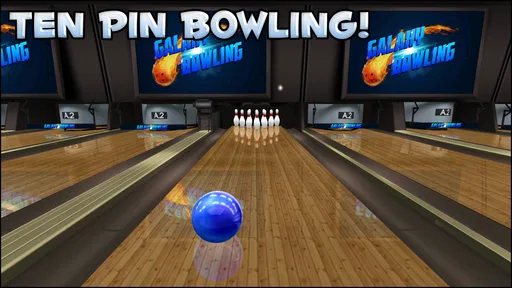
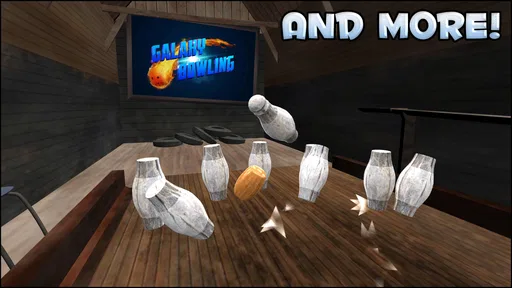
What's cool is that the game doesn't stop at traditional ten-pin bowling. It offers a variety of modes like candlepin, duckpin, and even a quirky 100-pin mode. This variety keeps the gameplay fresh and engaging. I spent a good chunk of time just exploring these different modes.
Customization Options
Customization is another aspect where Galaxy Bowling 3D shines. You can personalize your bowling ball with different colors and patterns. I found myself constantly tweaking my ball's appearance to match my mood or the cosmic lanes. The game also lets you unlock new balls and lanes as you progress, adding a fun layer of motivation to keep playing.
Multiplayer Fun
One of the standout features is the multiplayer mode. Whether you want to play with friends locally or take on players from around the world, the game has you covered. I had a blast challenging my friends to impromptu matches, and the online mode ran smoothly with minimal lag. It’s a great way to show off your bowling prowess or just have a casual match with a buddy.
Sound and Music
The soundtrack in Galaxy Bowling 3D is a mix of upbeat tunes that keep the energy high. It complements the game's visual style perfectly. The sound effects, from the satisfying crash of pins to the subtle ambient noises, enhance the immersive experience.
Final Thoughts
Overall, Galaxy Bowling 3D is a delightful package that offers more than just a casual gaming experience. It’s perfect for those moments when you want to unwind but also crave a challenge. The game’s graphics, gameplay variety, and multiplayer options make it a must-try for bowling enthusiasts and casual gamers alike.
So, if you’re ready to embark on a cosmic bowling adventure, you can download Galaxy Bowling 3D from your app store and start striking those pins in style!
Who I’d recommend it to
Winterlight’s sports game is a good fit for people who want bowling to be the whole activity, not a brief side mode inside a larger sports collection. It is rated for Everyone, and its free entry makes it easy to try without committing to a purchase. The game has an average rating of 4.5 from around 84,000 ratings, with roughly 10,000 written reviews and over 10 million installs. Those figures suggest that it has reached a broad audience, but the more useful question is whether its particular mix of casual controls and bowling variants suits you.
I would recommend it to a friend who enjoys improving at a simple skill over repeated short sessions, or who wants an easy game to share with someone nearby. I would be less likely to recommend it to a player seeking a detailed real-world bowling simulator, an elaborate career mode, or a highly structured esports-style competition. Its strength is accessible variety, not a promise of deep simulation or a demanding progression system.
The current version is 15.40, and the game supports operating systems from 7.1 onward. That makes it worth checking your device’s compatibility before downloading, especially if you are using an older phone or tablet. Once installed, I would first test both control styles and sample more than one bowling format; that gives a fairer impression than judging the whole game from a single early round.
A measured final verdict
What keeps me interested is the combination of recognizable bowling, alternative pin formats, and a bright space setting. What keeps my recommendation measured is that the central activity remains bowling: the mode variety refreshes it, but does not turn it into a completely different kind of game. The best way to enjoy it is to treat it as a compact pastime, choose a control method that feels steady, and switch formats when you want a different rhythm.
If that sounds like the kind of mobile game you reach for during a spare moment, I think it is worth trying. If you need a deep sports simulation or a broader collection of activities, I would look elsewhere. For everyone in between, it offers a cheerful, focused way to bowl on a screen, with enough choice to make returning feel worthwhile without asking for a large time commitment.
Pros
- Immersive 3D graphics enhance gameplay.
- Offers multiple bowling modes for variety.
- Realistic physics make it challenging.
- Online multiplayer for competitive play.
- Intuitive controls for easy handling.
Cons
- Ads can be intrusive during gameplay.
- Limited customization for avatars.
- Requires internet for some features.
- Occasional lag in multiplayer mode.
- In-app purchases can be pricey.
FAQs for Galaxy Bowling 3D
What is Galaxy Bowling 3D and how does it work?
Galaxy Bowling 3D is an immersive bowling game available on Android and iOS devices. It offers realistic 3D graphics and physics to simulate an authentic bowling experience. Players can enjoy a variety of modes, including classic ten-pin bowling, and challenge friends or compete against AI. The app is designed to be user-friendly, making it accessible for both casual and hardcore gamers.
What are the key features of Galaxy Bowling 3D?
Galaxy Bowling 3D boasts several exciting features, including multiple game modes such as ten-pin, candlepin, and duckpin bowling. It offers realistic physics and detailed 3D graphics that enhance the gameplay experience. Players can also customize their balls and lanes, track their stats, and participate in tournaments. The game supports both single and multiplayer options.
Is Galaxy Bowling 3D free to play?
Galaxy Bowling 3D is free to download and play, but it may contain in-app purchases. These purchases can enhance gameplay by unlocking additional features, removing ads, or providing in-game currency. While the core game is fully accessible without spending money, optional purchases can offer a more personalized experience.
Does Galaxy Bowling 3D require an internet connection?
Galaxy Bowling 3D can be played offline, allowing users to enjoy the game without an internet connection. However, certain features, such as multiplayer mode and in-app purchases, may require connectivity. Playing offline is ideal for users who want to enjoy the game on the go without relying on Wi-Fi or mobile data.
How does Galaxy Bowling 3D support multiplayer gameplay?
Galaxy Bowling 3D supports multiplayer gameplay, allowing you to challenge friends or compete with players worldwide. You can connect with others through local multiplayer or online matches. The game offers leaderboards and tournaments for a competitive edge, ensuring a dynamic and engaging experience for gamers seeking social interaction.


